Deploy .NET with Self-contained deployment (SCD)
Guide to publishing a .NET app on Simply.com: select Web Deploy, set Deployment Mode to Self-contained and Target Runtime to win‑x86.
This guide helps you deploy pages and apps with .NET versions that are not installed on the server, using Self‑contained deployment, for example newer versions of .NET and .NET Core.
SCD makes it possible to choose which .NET version you want to use.
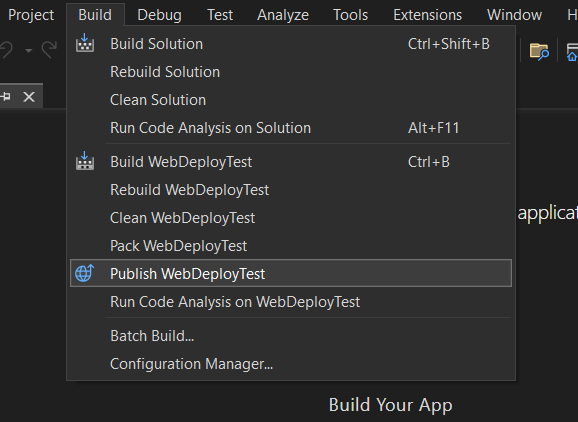
When you are ready to publish your site, select Build from the menu in Visual Studio, then Publish.
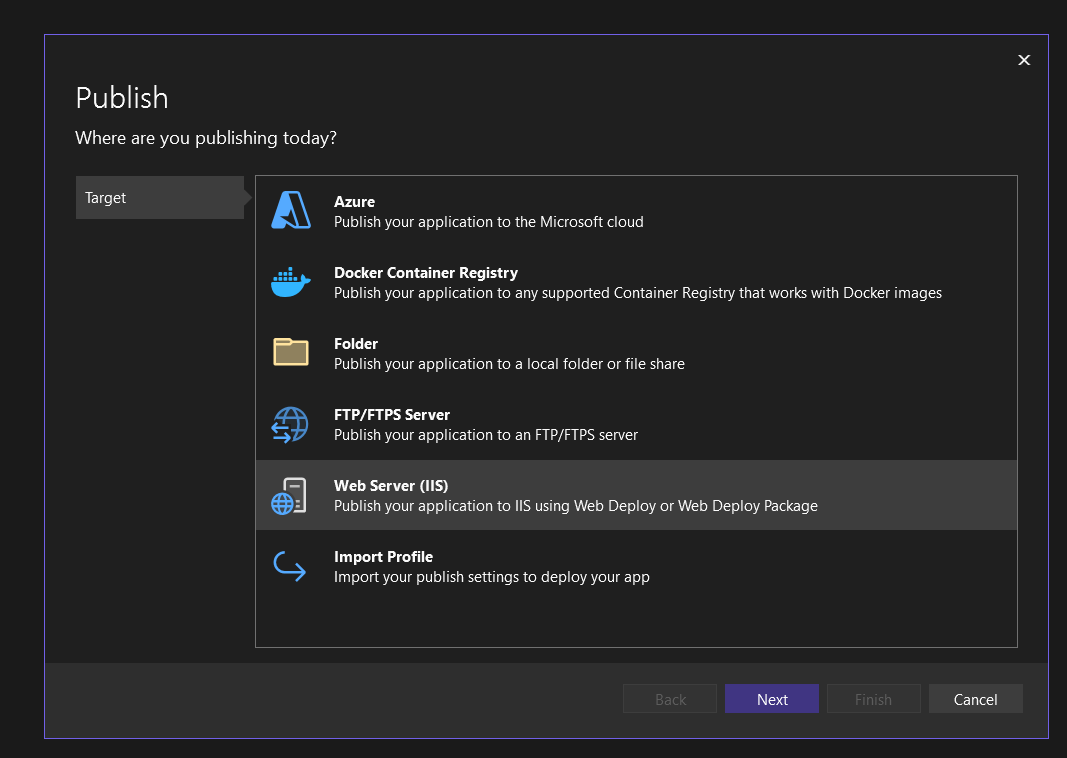
Choose “Web server (IIS)” and click Next
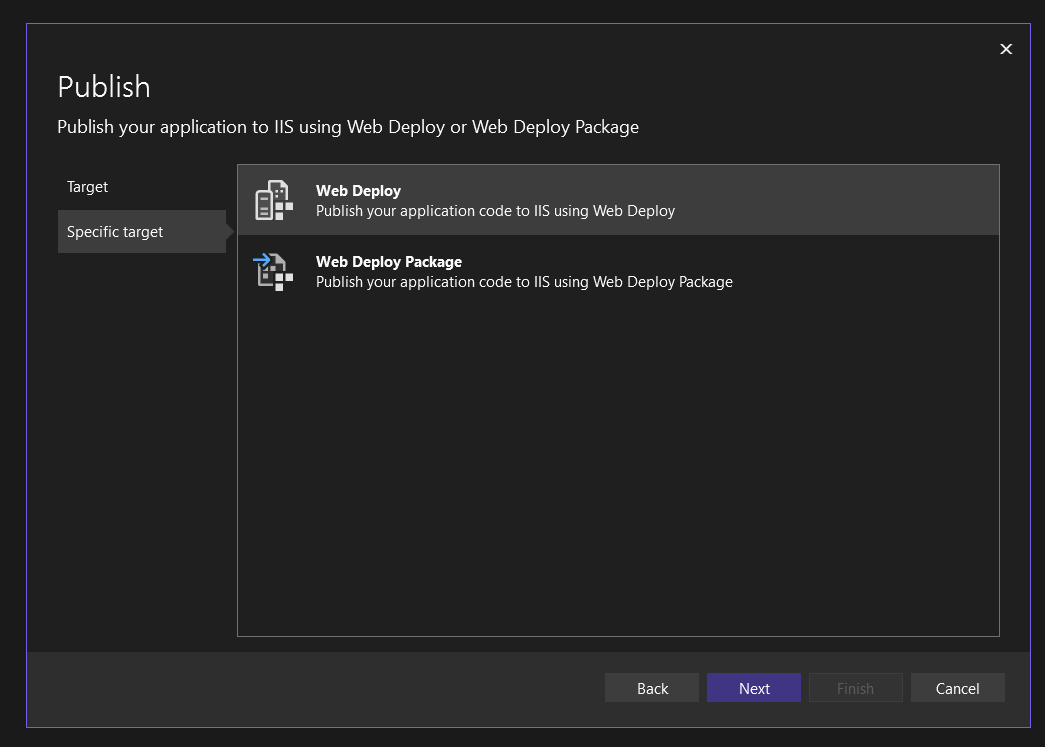
Select Web Deploy and click Next
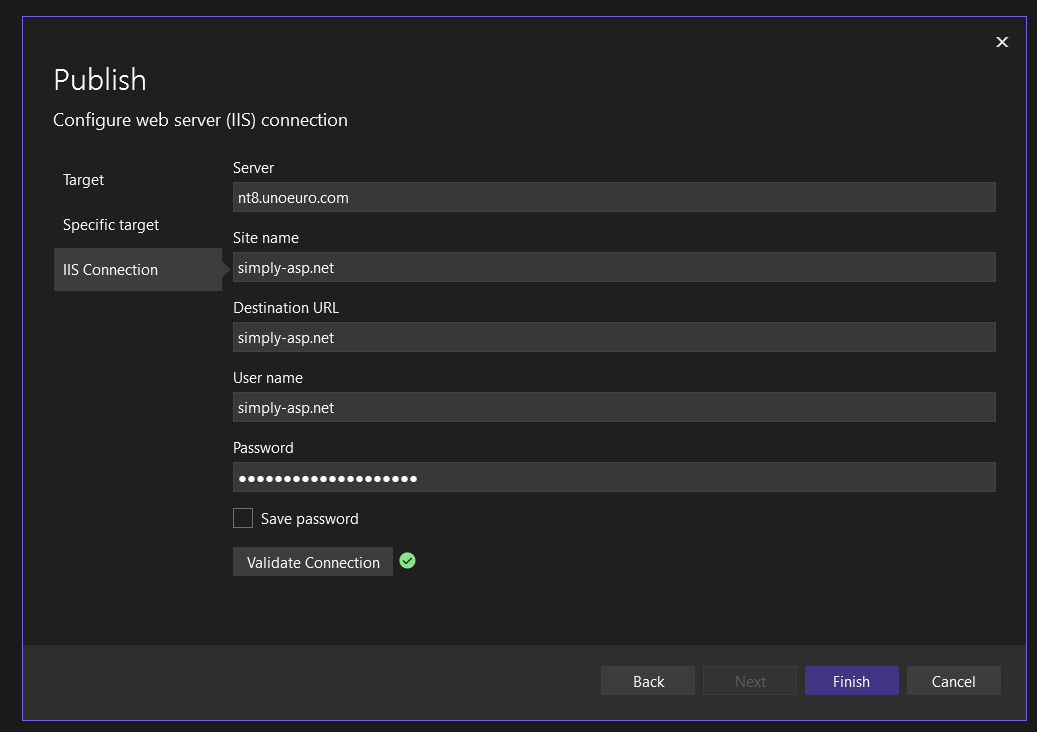
Enter the server and login details for your web hosting. You can also find these via Administration in our control panel by clicking Login details.
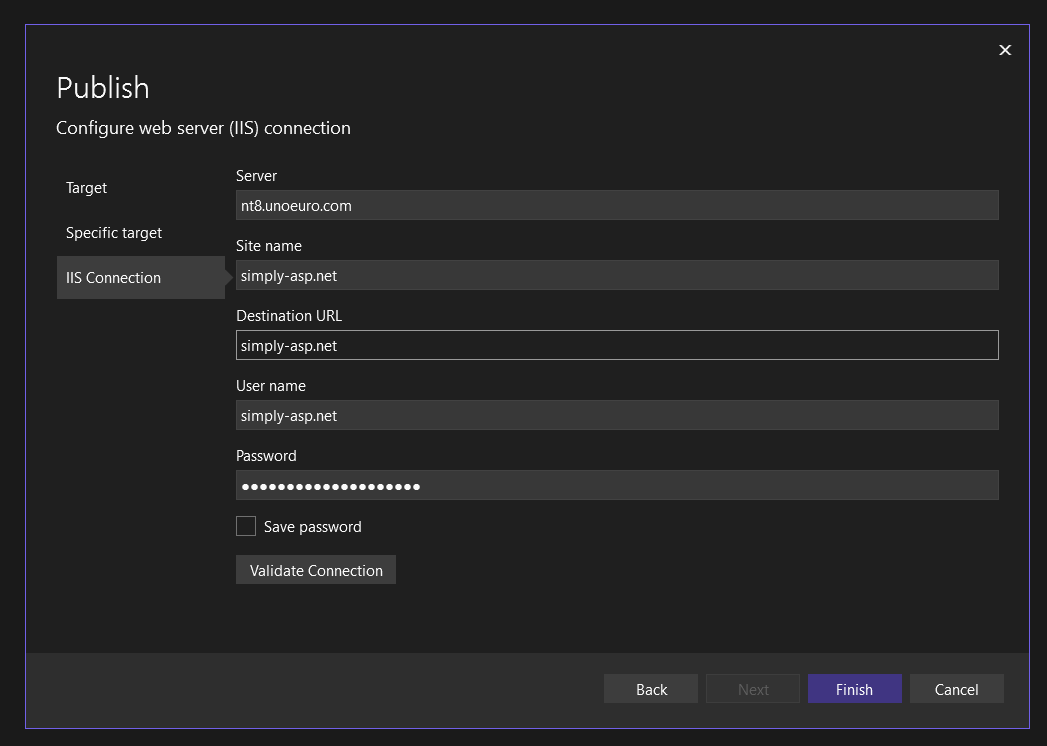
Click Validate Connection to ensure a connection can be made to the web hosting.
If it fails, make sure you are using the correct details, and if problems persist, please contact us in support
When it appears with a green tick next to the button, you can click Finish to continue.
To deploy with Self‑Contained Deployment a few more changes are required.
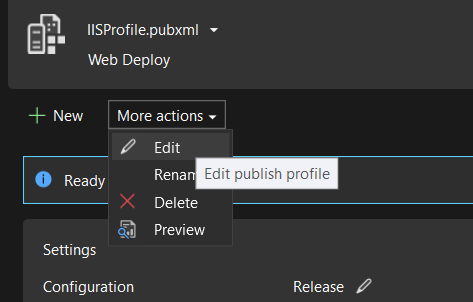
Click More actions and select Edit
On the “Settings” page that opens, change “Deployment Mode” to Self-contained.
It is important that “Target Runtime” is set to win‑x86.
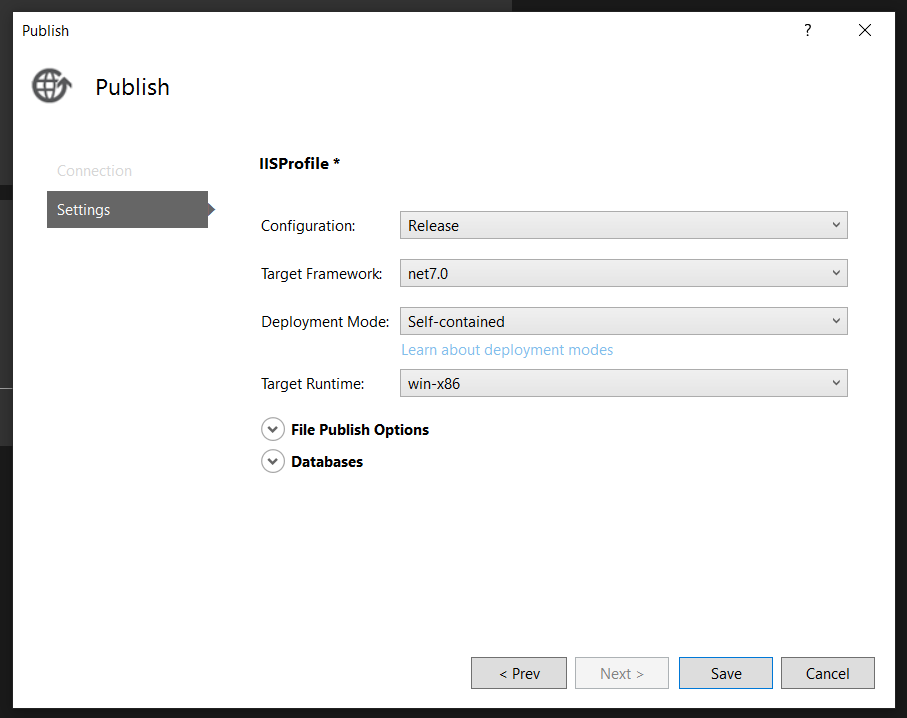
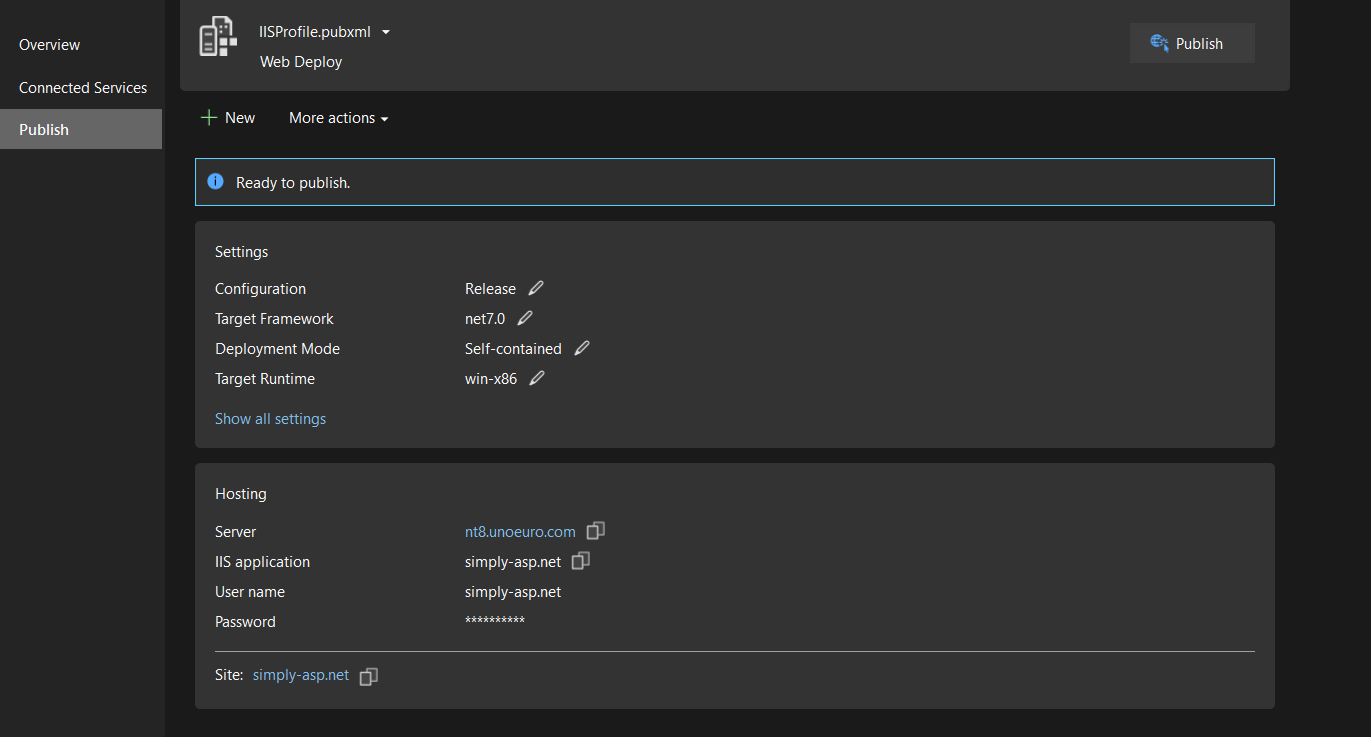
Finish by clicking Save. After that you can deploy to the server by clicking Publish.
If you need multiple .NET Core applications on your web hosting, remember to change the hosting model; this is explained in the following FAQ: https://www.simply.com/dk/support/faq/6/827/
Article from the support category: ASP & ASP.NET
