Get Auth-ID at Punktum.dk
Log in to Punktum’s self‑service, select the domain, click ‘Change reseller’ and ‘GENERATE CODE’ to get your Auth‑ID.
-
To retrieve the Auth‑ID/Authorization code for a .dk domain, you can log in to Punktum DK’s self‑service. It can be accessed here: https://selvbetjening.punktum.dk
-
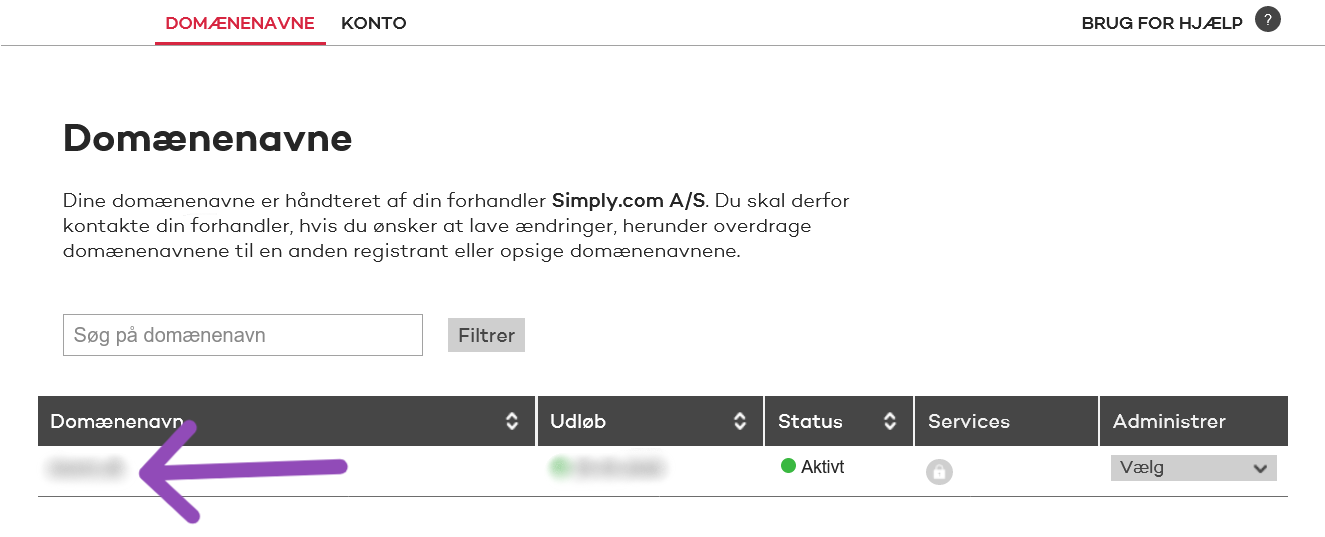
Find the domain you want the Auth‑ID for and click on it in the overview.
-
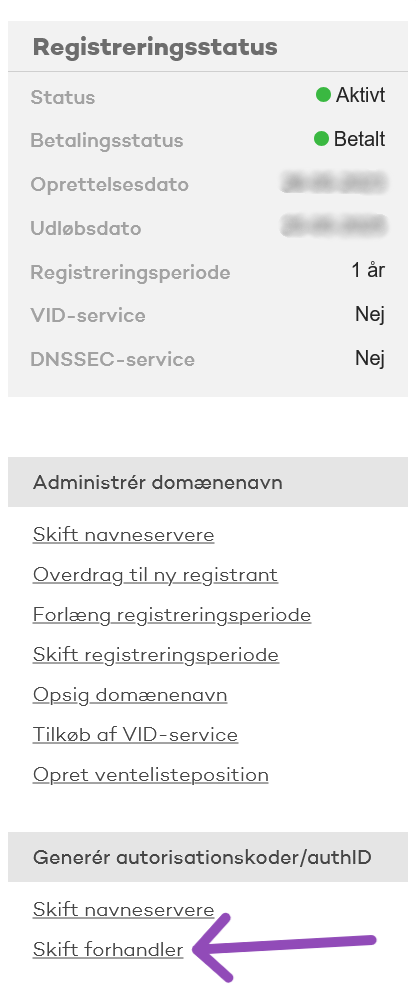
At the bottom of the right‑hand menu select "Change registrar".
-
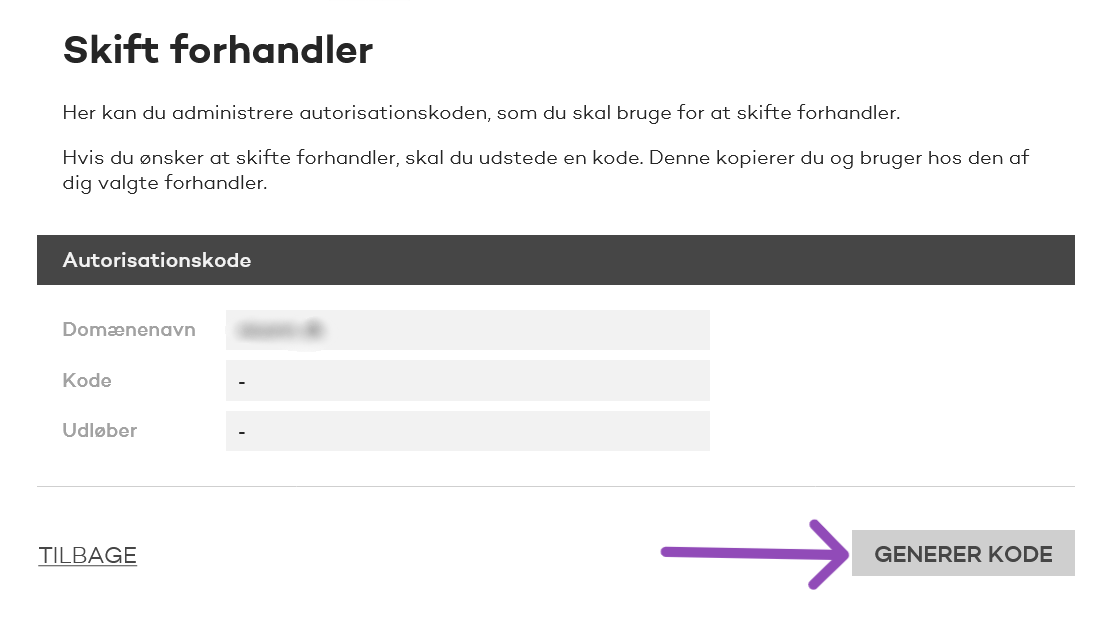
Click "GENERATE CODE".
-
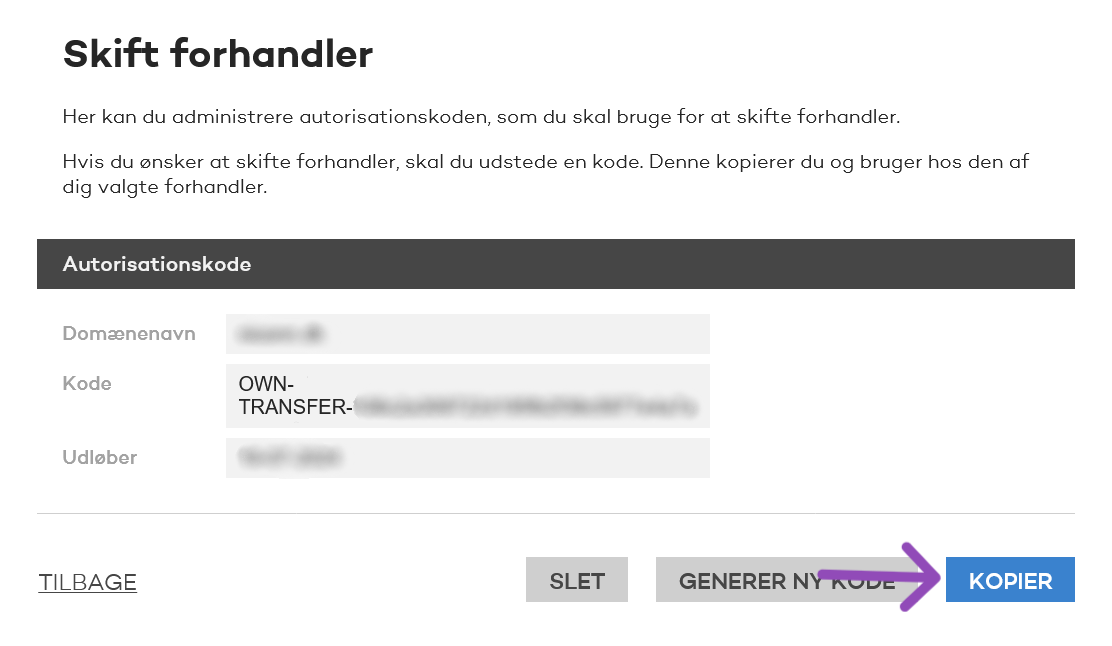
An Auth‑ID will be created in the "Code" field, which should have one of the following formats
OWN-TRANSFER-xxxxxxxxxxxxxxxxxxorREG-TRANSFER-xxxxxxxxxxxxxxxxxx.
-
Click "COPY".
Article from the support category: Domain & DNS
