Setting up mail in Spark
How to set up your Simply.com email in Spark using IMAP (mail.simply.com:143) and SMTP (smtp.simply.com:587) via STARTTLS.
This guide assumes you have already set up your e‑mail account via E‑Mail in our control panel.
-
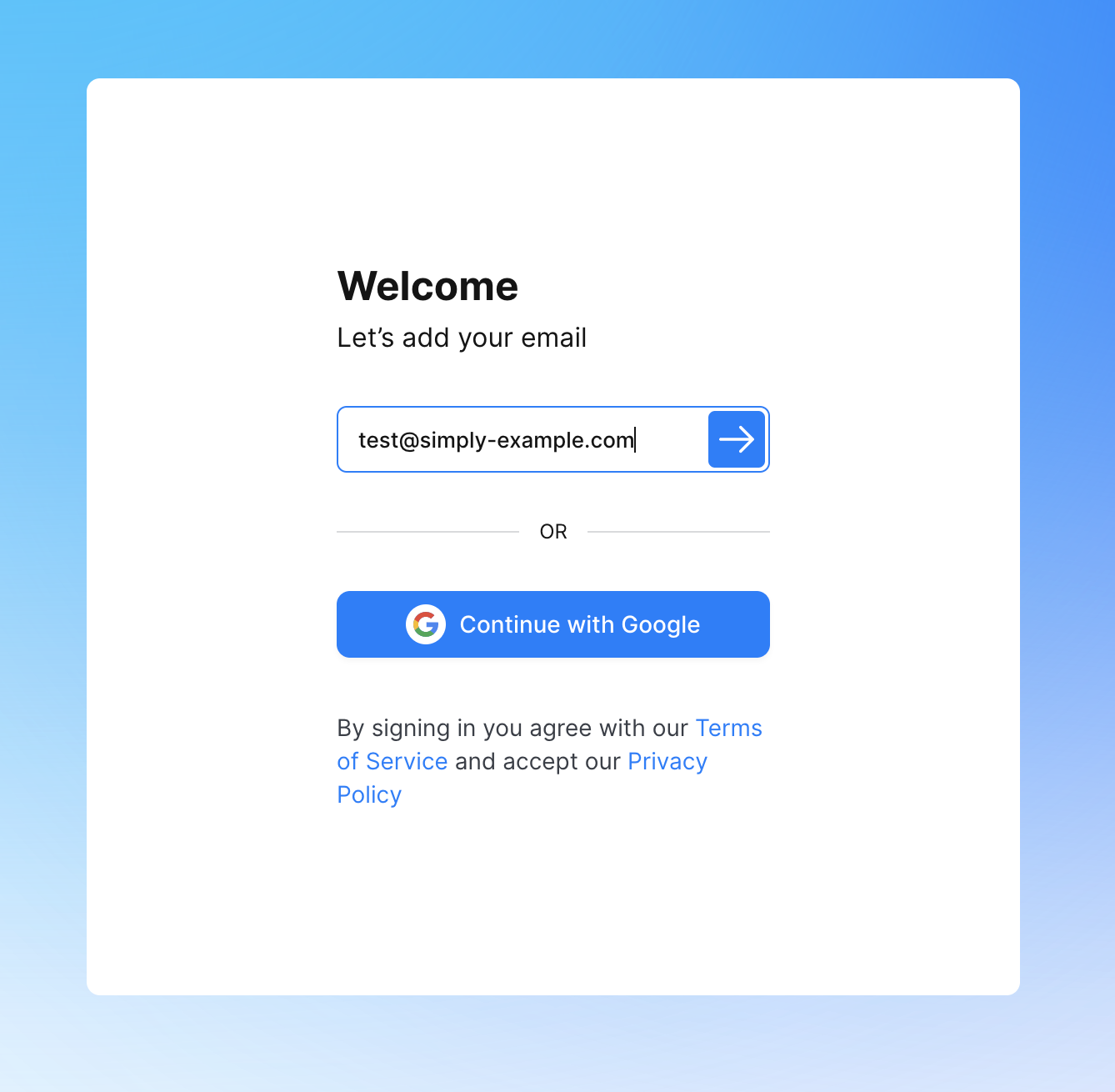
Open “Spark”, enter your e‑mail address and tap the arrow.
-
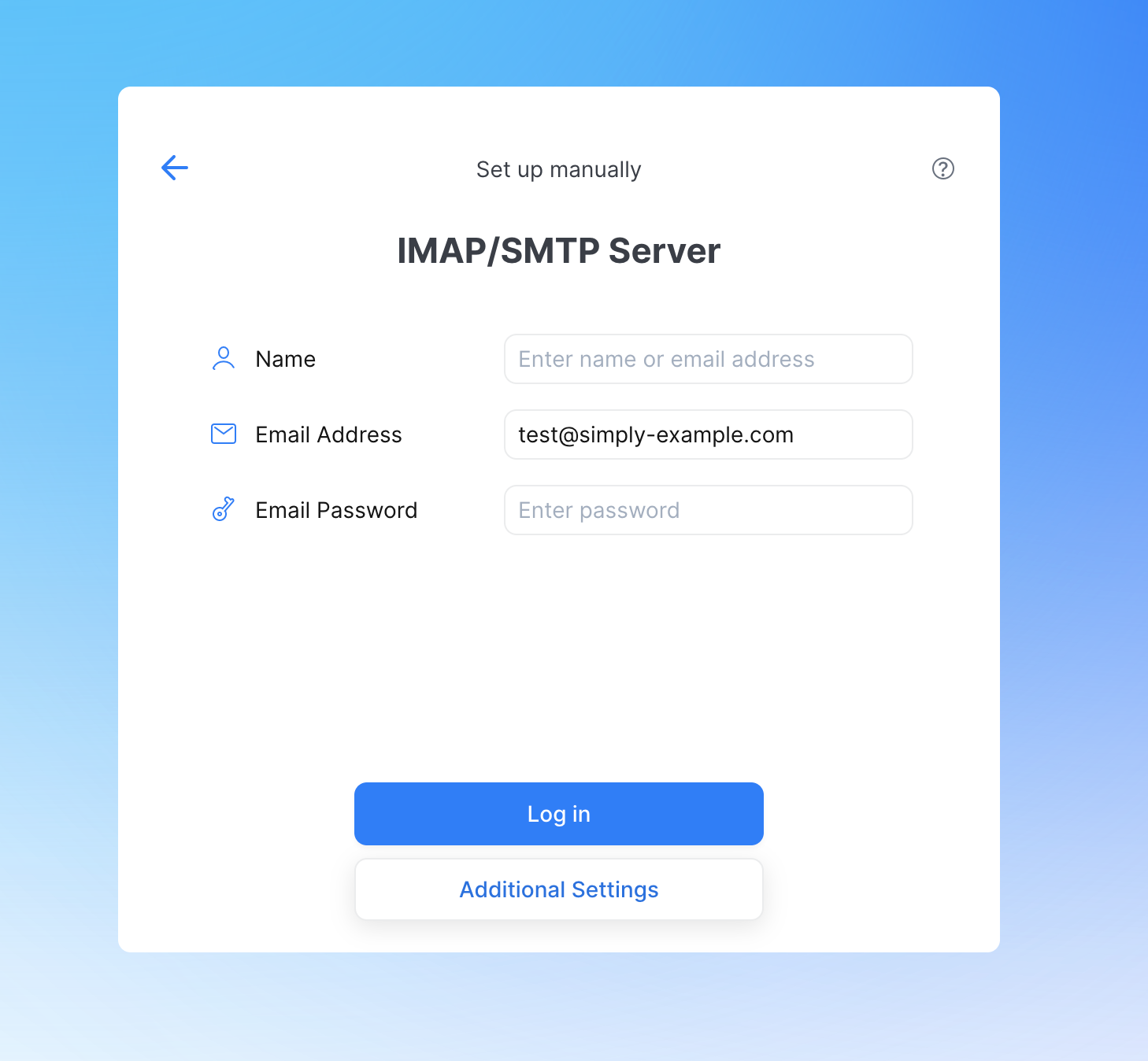
Tap “Additional Settings” at the bottom (fill in your name first if needed).
-
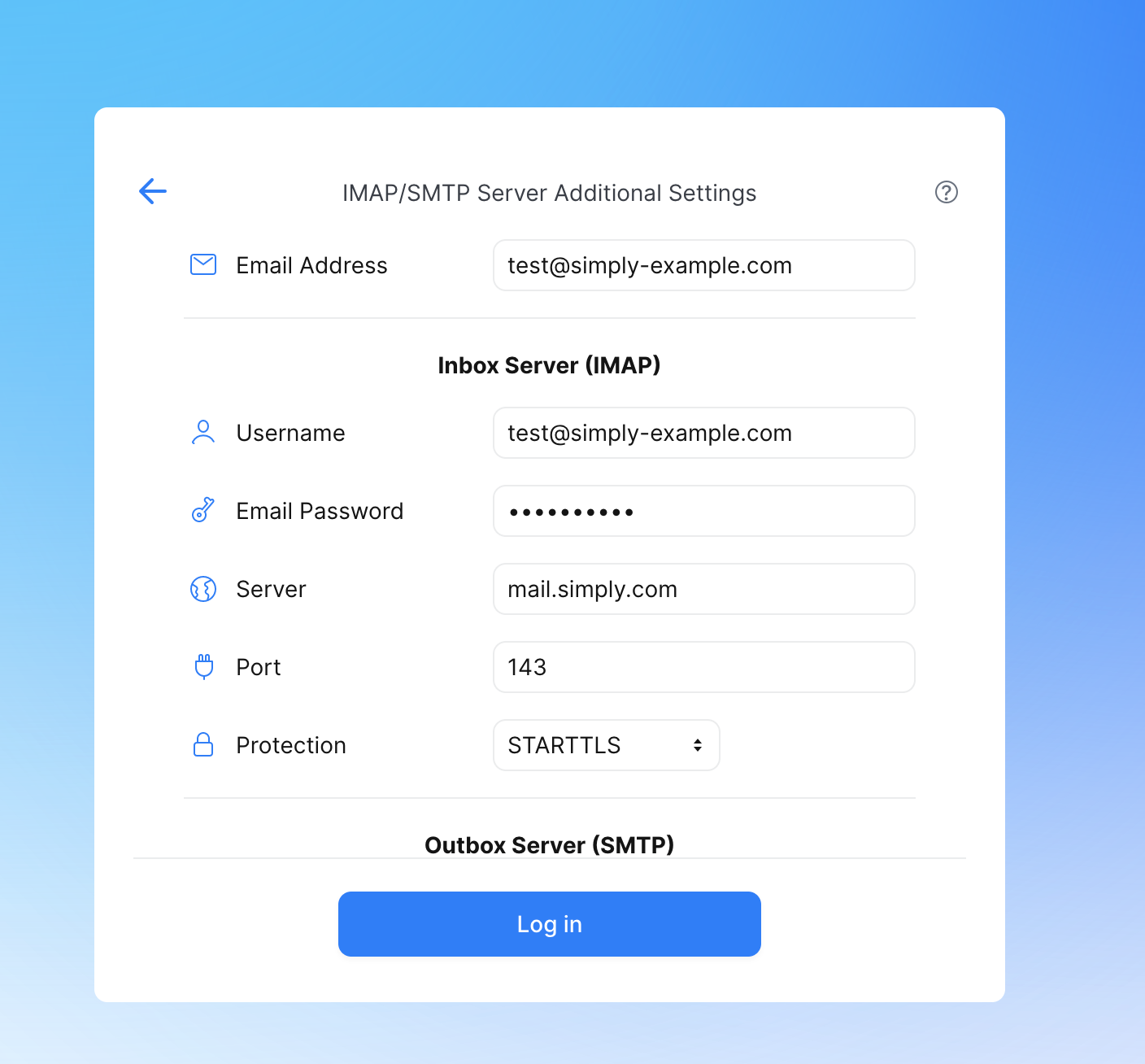
Enter your e‑mail address as the username, along with the password you created for it in our control panel.
- Server for incoming mail:
mail.simply.com - Port:
143 - Security:
STARTTLS
- Server for incoming mail:
-
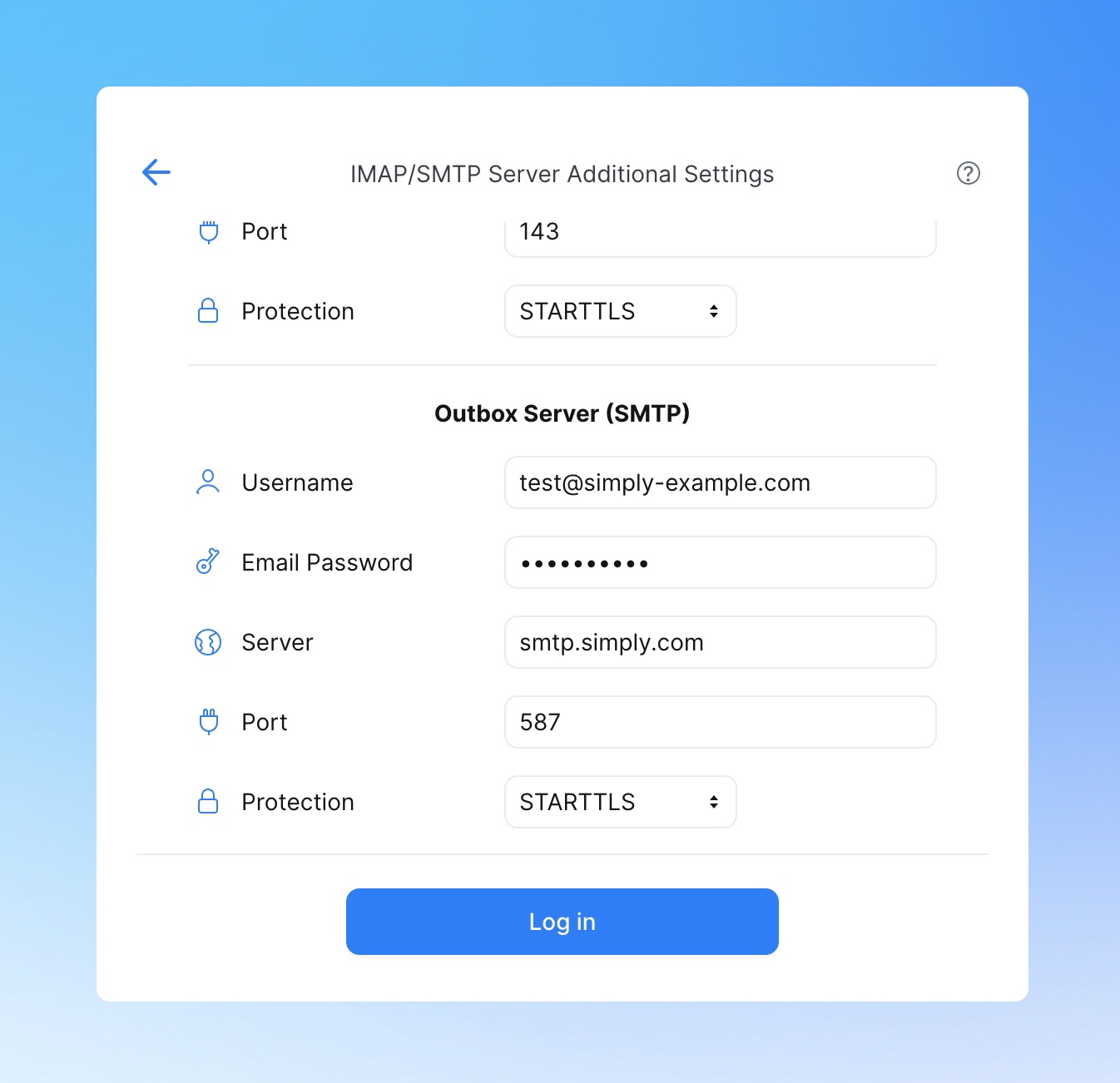
Set up the outgoing server.
- Enter your e‑mail address as the username, along with the password you created for it in our control panel
- Server for outgoing mail:
smtp.simply.com - Port:
587 - Security:
STARTTLS
-
Tap “Log in” and your mail account will now be set up in the app.
Article from the support category: Mail
