Email forwarding
Set up email forwarding in the control panel under Domain Settings, but be aware that SPF/DKIM/DMARC can make external forwarding unreliable.
You can set up e‑mail forwarding via our control panel:
https://www.simply.com/controlpanel/
Go to E‑mail > Domain settings > Forwardings.
Here you can create a forwarding for both existing and non‑existent mail accounts on the domain.
E‑mail address is the address you want all mails forwarded from.
Forward a copy to is the address you want mails forwarded to.
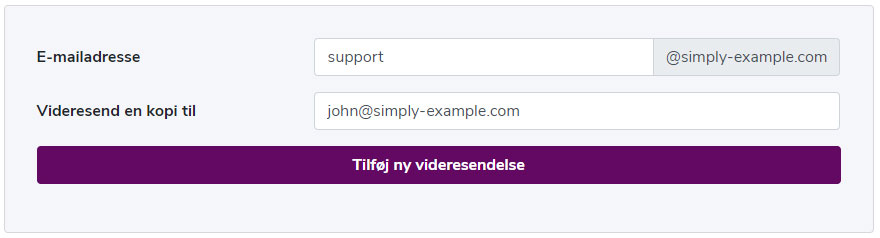
In the example above, all mails sent to support@simply-example.com are forwarded to john@simply-example.com.
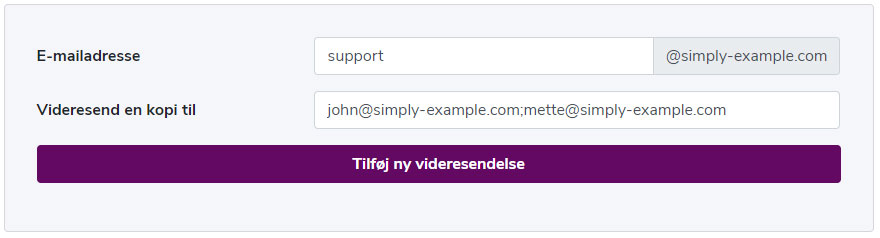
If you want to create a forwarding and at the same time add multiple recipient addresses at once, you can do so by separating them with a semicolon.
Example:
External forwarding can be unreliable due to SPF/DKIM/DMARC
When an e‑mail is forwarded to an external recipient, the sender's domain often does not change, even though the message is now sent from our servers. This can cause the recipient's spam filters to mark the message as suspicious, because SPF records for the original sender no longer match, or because the DKIM signature is broken. If your domain has strict DMARC policies, forwarded messages may therefore be rejected or end up in the spam folder.
In general, external e‑mail forwardings are not something we recommend, and are a thing of the past.
Article from the support category: Mail
