DNSSEC
DNSSEC is automatically enabled on Simply.com's name servers and can be managed via the control panel, also on other name servers with DS/DNSKEY.
DNSSEC ensures that your visitors always receive responses from the name servers set for the domain.
This is done by signing the DNS zone and sending this signature to the relevant domain registry (for example Punktum dk for .dk domains).
If you use Simply.com name servers
When you use Simply.com's name servers, DNSSEC is automatically enabled when a domain is created.
We automatically provide CDS/CDNSKEY records in all DNSSEC‑signed zones on our name servers.
This means that if you register a domain with us and do not disable DNSSEC or change name servers, DNSSEC is enabled by default.
How do I enable DNSSEC on Simply.com name servers?
If you have disabled DNSSEC and wish to re‑enable it, you can reactivate DNSSEC via our control panel.
Just open the DNS administration and click on DNSSEC, after which you can enable DNSSEC.
If you use other name servers
If your domain uses other name servers than ours, you can enable DNSSEC by adding a DS or a DNSKEY record in the control panel via the DNSSEC button.
A DNSKEY has the following format: <flags> <protocol> <algorithm> <pubkey>
A DS record has the following format <keytag> <algorithm> <digestType> <digest>
Important about DS and DNSKEY when using other name servers
Note that not all domain types and registries support DS or DNSKEY, which is why some providers issue multiple DNSSEC records. This does not mean you have to use them all, but that you should select the type that matches your domain's TLD. You are welcome to contact support if you have any problems activating DNSSEC.
How can I see if DNSSEC is enabled on my domain?
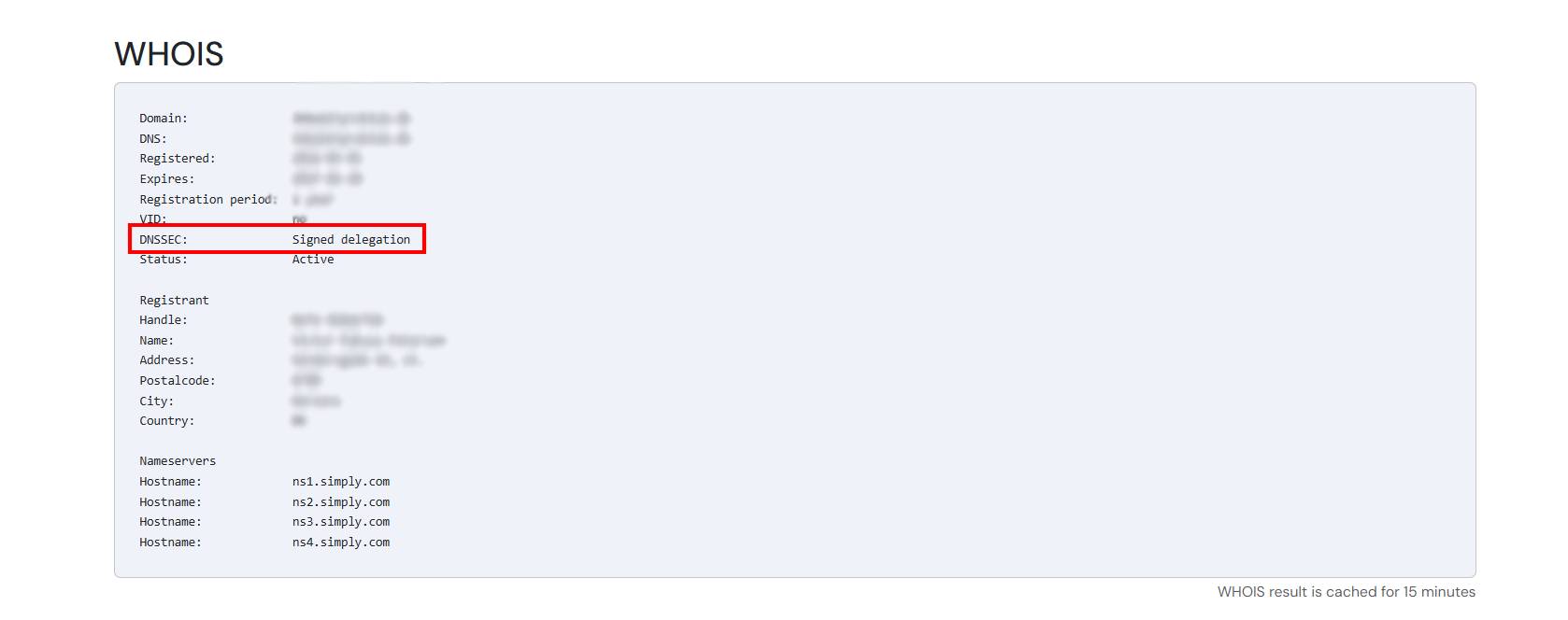
There are various ways to check whether DNSSEC is enabled, but the easiest is via WHOIS.
You can use our Diagnostics tool to enter your domain name and then scroll down to the WHOIS section.
For most domain types there will be a field called DNSSEC that will display Signed if DNSSEC is enabled.
Article from the support category: Domain & DNS
