Setting up email in Mailbird
Guide to setting up email in Mailbird: from Settings → Accounts → Add, enter email address and password.
This guide assumes you have already set up your e‑mail account via the “E‑mail” menu item, which you can find in our Control Panel.
-
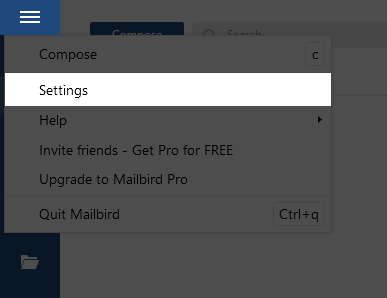
Click the menu icon at the top left and select Settings.
-
Click “Accounts” and then Add.

-
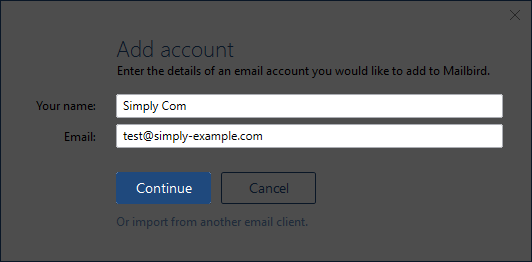
Enter the e‑mail address you want to set up and click Continue.
-
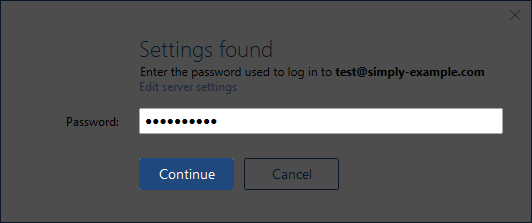
Enter the password for the e‑mail address and click Continue.
Article from the support category: Mail
