Setting up mail in Postbox
How to configure your e‑mail in Postbox after setting it up in the control panel
This guide assumes you have already set up your e‑mail account via the “E‑Mail” menu item, which you can find in our Control Panel.
-
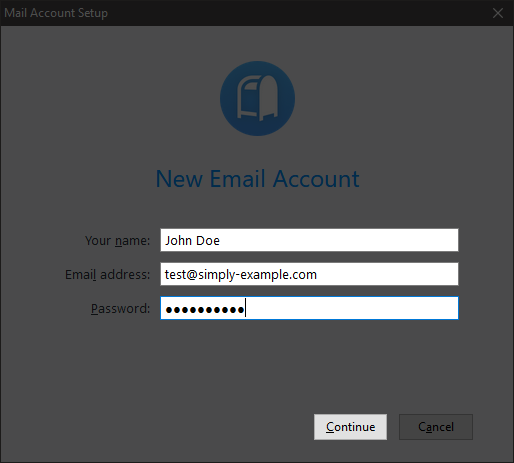
Open Postbox and fill in your name, your e‑mail address, and the password you created for your e‑mail. Click Next.
-
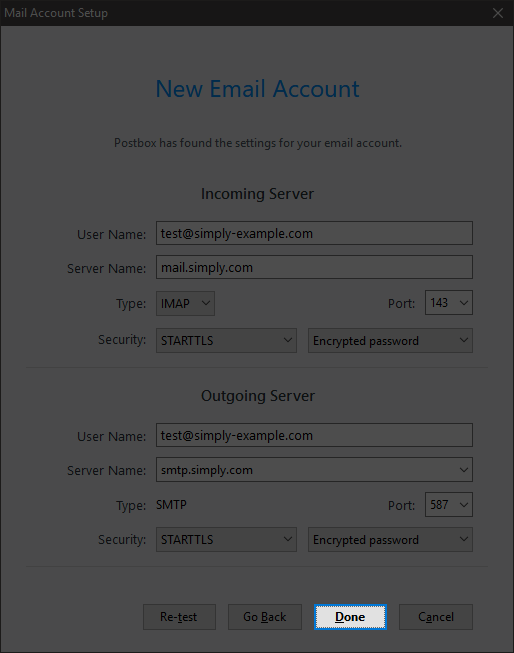
Press Done.
-
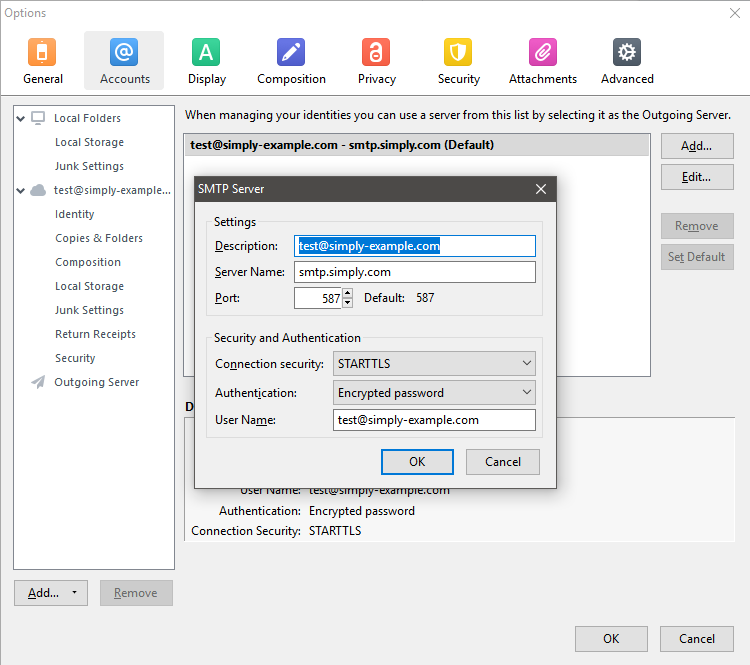
If you experience problems sending, you can adjust your outgoing server settings as shown here.
Article from the support category: Mail
