Setting up FileZilla
How to set up FileZilla: Download the program, create a new site with the FTP details from your welcome email, and limit simultaneous connections to 3-4.
Download and install FileZilla for free from https://filezilla-project.org/download.php?show_all=1
-
Open "Site Manager".
-
Select "New Site".
-
Fill in the fields "Host", "User" and "Password" as instructed under the "FTP information" section in your welcome email (replace ue-example.com with your own domain).
Example: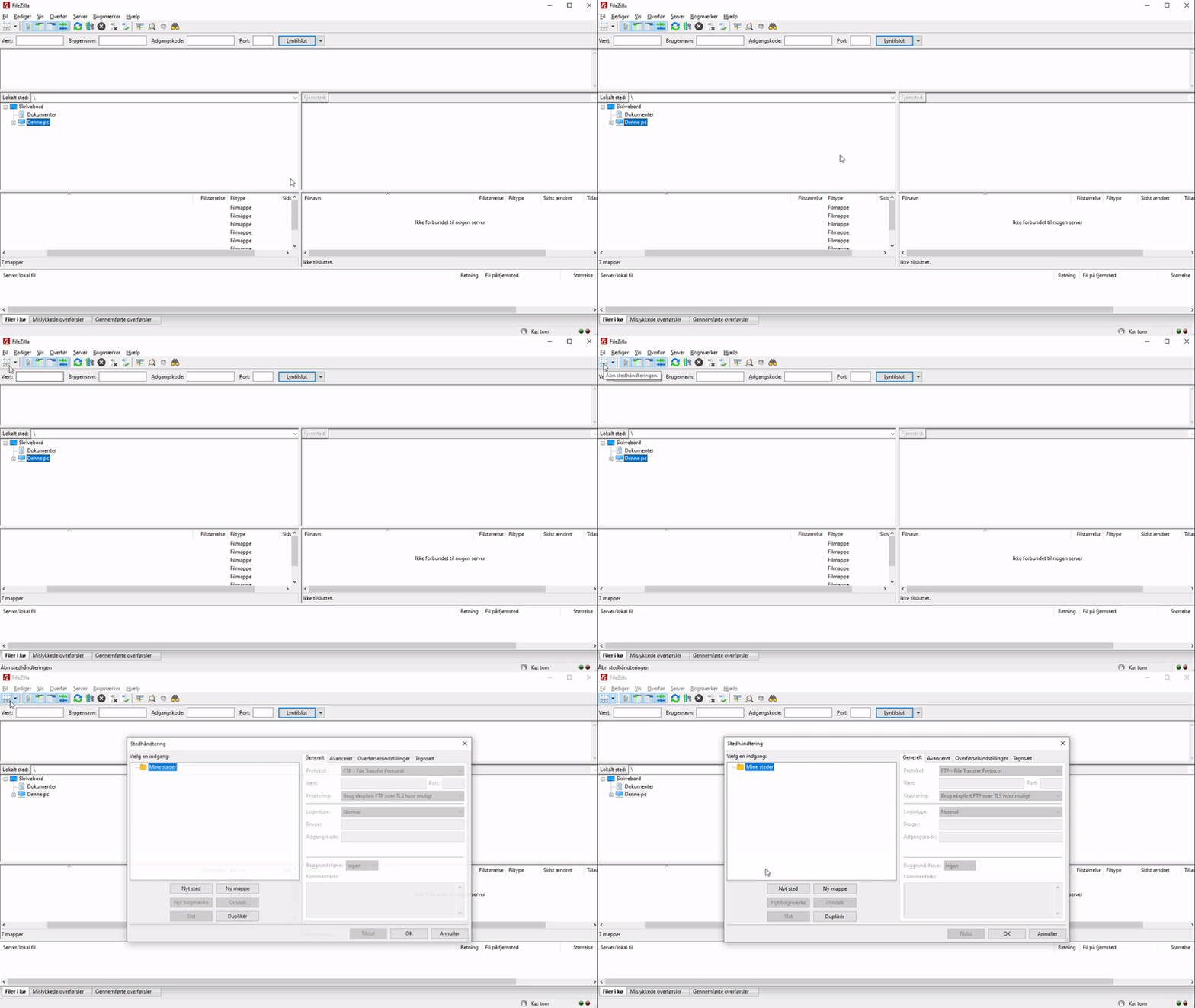
-
Select the "Transfer Settings" tab and tick "Limit number of simultaneous connections".
-
Set "Maximum number of connections" to 3 or 4.
Example: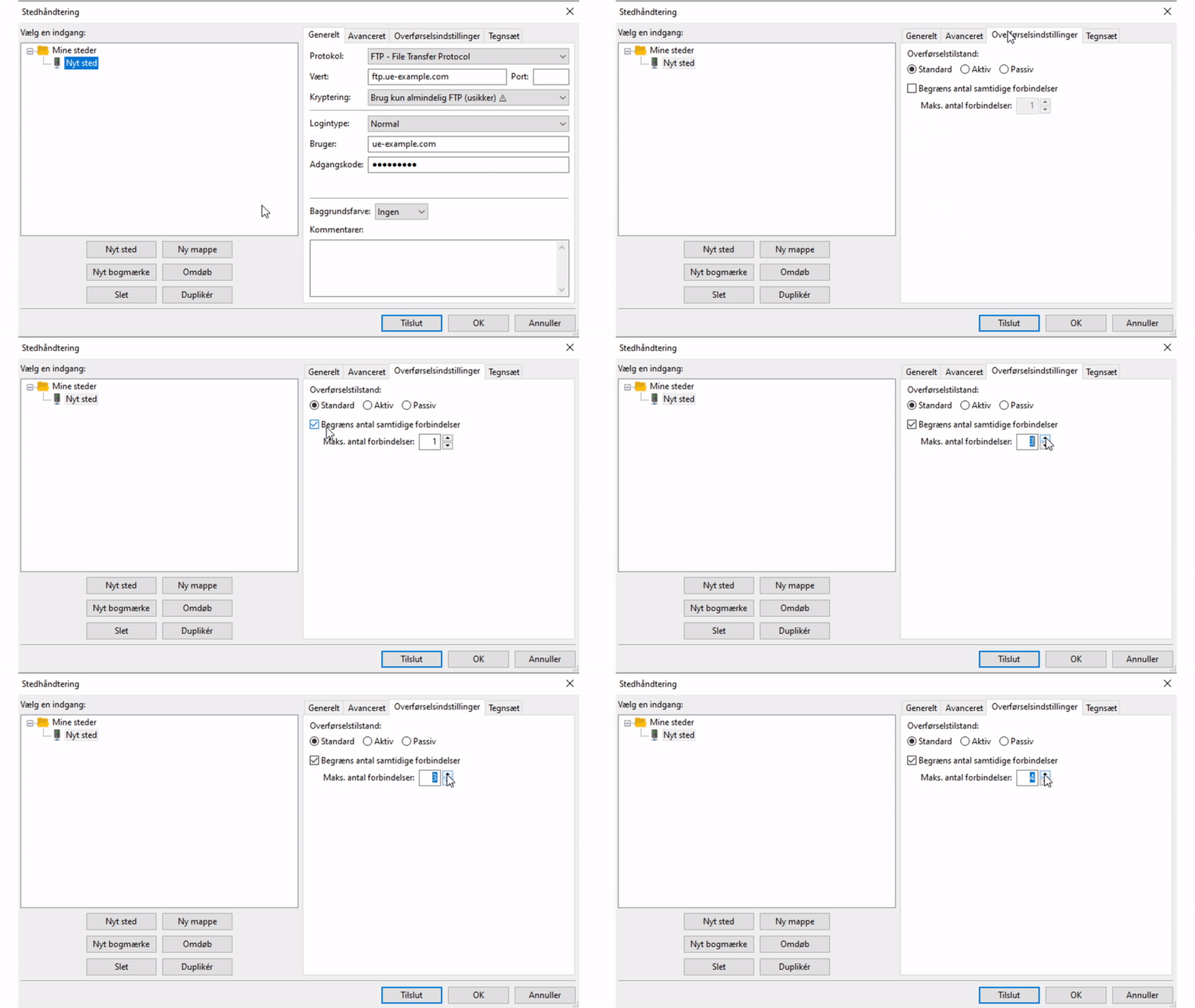
-
Then click either "Connect" to log in to the web server straight away, or "OK" to save the entered details without logging in.
Article from the support category: FTP
