Setting up Panic Transmit (macOS)
How to install Panic Transmit on macOS and configure FTP details to upload files to your public_html folder.
If you don’t already have the Panic Transmit programme, it can be downloaded here: http://www.panic.com/transmit/.
-
Install and open Panic Transmit.
-
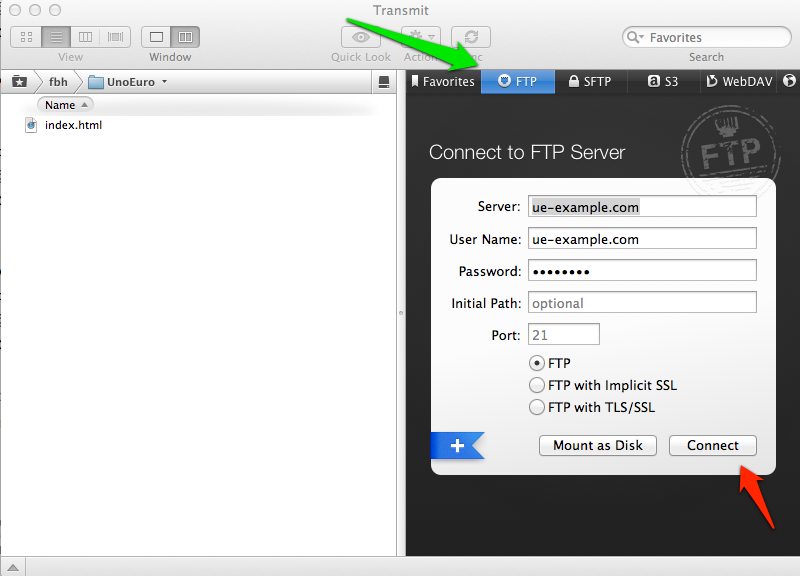
Click the “FTP” tab at the top (green arrow)
-
Fill in the fields with your FTP details. These can be found, among other places, in your welcome e‑mail.
-
Click “Connect” (red arrow) and you are now ready to upload files. Remember that your files must be placed in the public_html folder if they are to be displayed on the website.
Article from the support category: FTP
