Setting up Adobe Muse
Guide to uploading your Adobe Muse site via FTP in the program.
Here is a guide to setting up Adobe Muse
-
In the programme, select “File” and then “Upload to FTP host”
-
The following screen will appear, where you need to fill in your FTP details as they are listed in your welcome email.
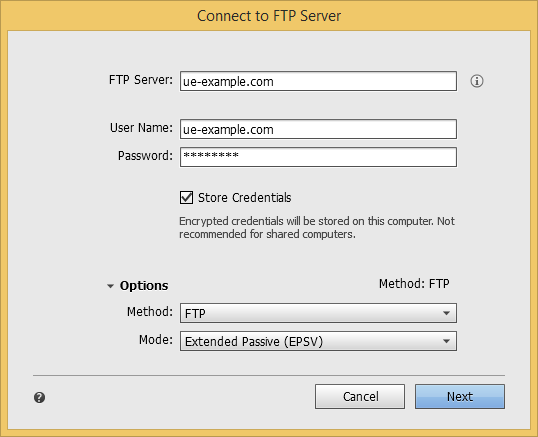
-
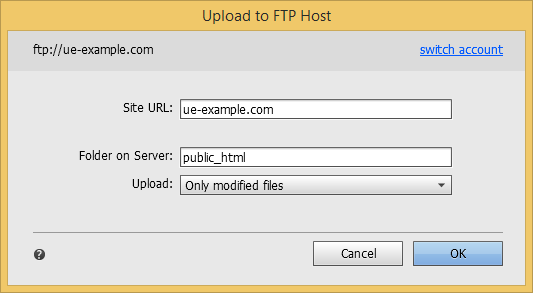
Click “Next” to proceed to the next screen and fill it in as shown.
Article from the support category: FTP
