Setting up email in Windows Live Mail
How to set up your Simply.com email in Windows Live Mail by entering the address, password and server details from the creation email
This guide assumes you have already set up your e‑mail account via the “E‑Mail” menu item, which you can find in our Control Panel.
-
Enter your e‑mail address together with the code you chose when you created the address in our Mail Administration.

-
Click Next
-
Fill in the next window as shown below. Remember to enter the correct incoming server and to adjust the username. The username is your full e‑mail address.
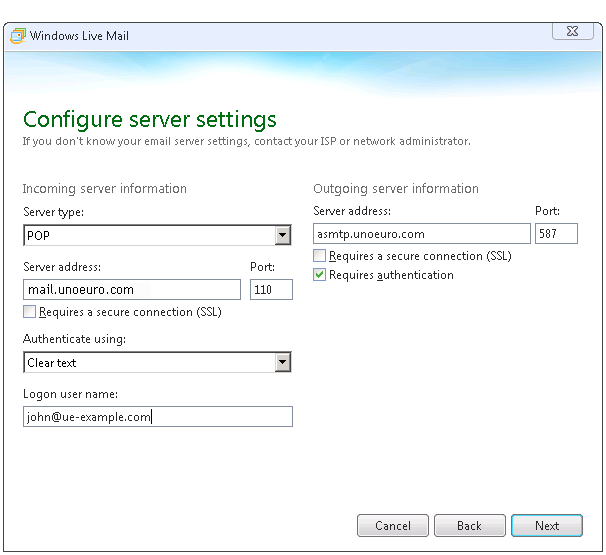
You can find the correct information to enter in the creation letter that was sent to you when you ordered your webhosting.
Article from the support category: Mail
