Setting up email in Outlook 2016
How to configure your Simply.com email in Outlook 2016 with IMAP manually.
This guide assumes you have already set up your e‑mail account in E‑Mail in our control panel.
-
Open Microsoft Outlook 2016.
-
Choose the menu File then the item Add Account.
-
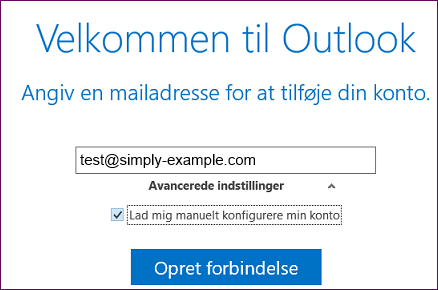
Enter your e‑mail address, click Advanced settings and tick “Let me set up my account manually”.
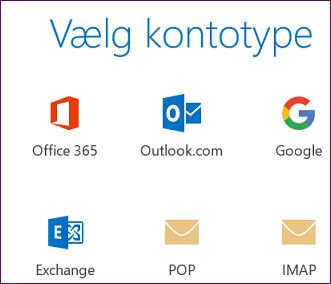
- Select IMAP.
- Fill in the fields as shown, using the values provided in your welcome e‑mail.
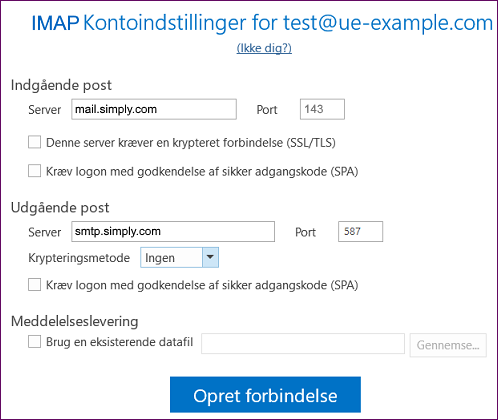
NOTE: The username is YOUR FULL e‑mail address, not just, for example, “john” but “john@domain.xxx”! The password is the one you chose in the mail administration under your control panel.
-
Click Connect.
-
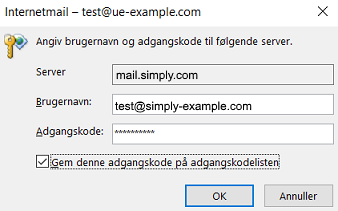
Enter your chosen e‑mail password, tick Save this password on the password list and click OK.
Article from the support category: Mail
