Setting up Frontpage 2003 via FTP
Upload your Frontpage 2003 website via FTP by publishing to public_html using your username and password.
Frontpage can be used as a regular FTP client, but be aware that built‑in Frontpage features such as counters, forms and the like do not work with FTP upload.
-
Choose Files -> Publish Web Site
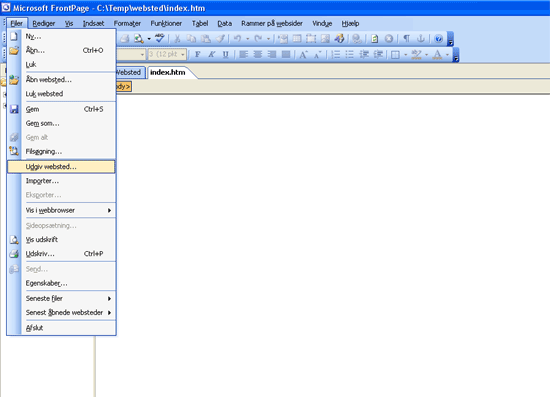
-
Enter your domain name under the Location field and in the FTP folder type:
public_html– your web content must be placed in this folder to be displayed on your website.
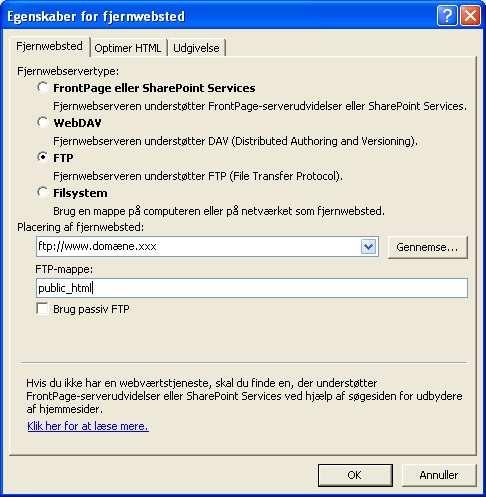
-
Enter username and password and click OK.
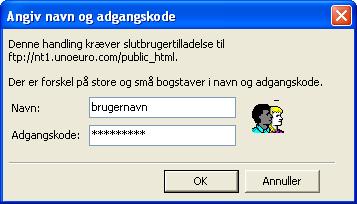
When you can edit your site again, Frontpage has finished uploading.
Article from the support category: FTP
