Setting up Dreamweaver
How to configure Dreamweaver to set up an FTP connection to your Simply.com hosting
Here is a guide to setting up Dreamweaver CS5.5
-
In the programme select "Site" and then "Manage sites"
-
Choose "New" and click the "+" icon under the menu item "Servers"
-
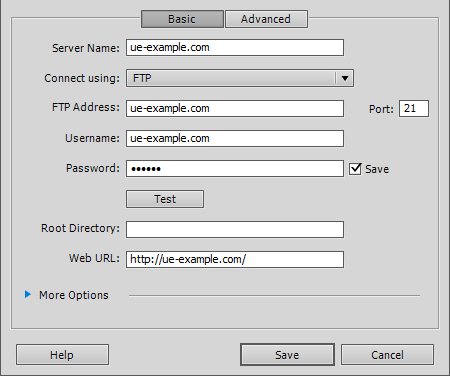
The following screenshot will appear, where you need to fill in your FTP details as they are in your account creation e‑mail.
-
Then click "Test" to test the connection.
Article from the support category: FTP
